
Use the Home dashboard to find documents that need attention and start new document workflows.
Before you begin
You need an existing SignDex account and its registered email address and password. Use the sign-in address provided for your organisation.
Sign in
- Open your organisation’s SignDex sign-in page.
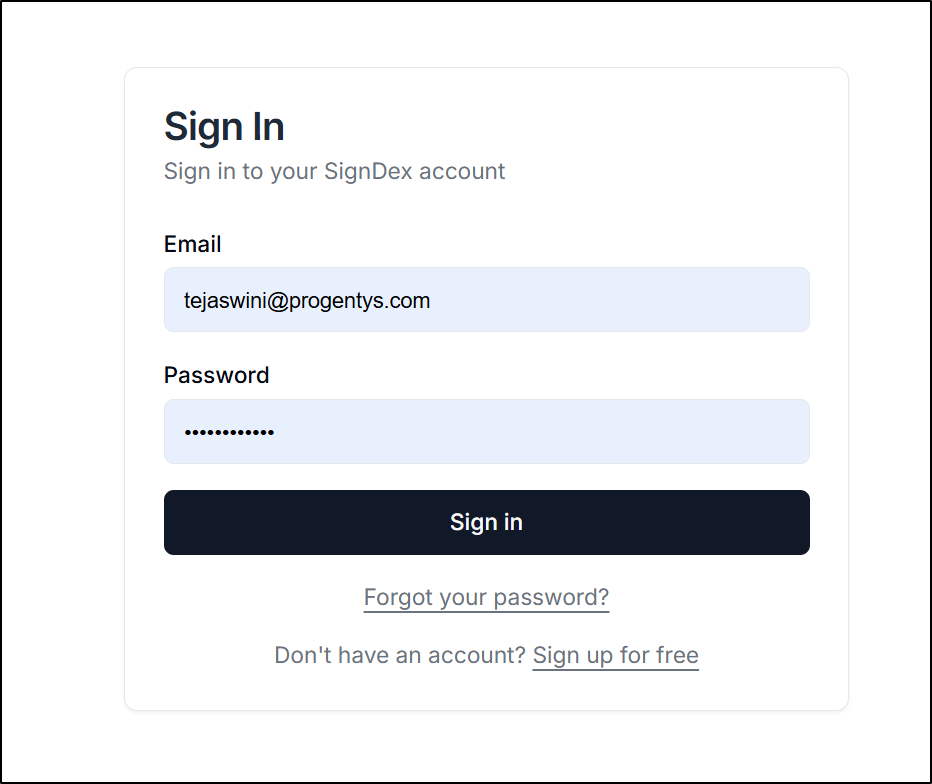
- Enter your Email and Password.
- Select Sign in.
- Open Home if you are taken to another page.
If you cannot remember your password, select Forgot your password? on the sign-in page and follow the recovery instructions.
Find your next task
On Home, use the document queues to choose where to begin:
Queue Use it to find Action Required Documents awaiting an action from you Waiting on Others Workflows awaiting other participants Completed Completed documents Sent Documents you have sent Use View All to open the Documents page. Available row actions can include Sign, View, and Download, depending on the document.
Start a workflow or open your profile
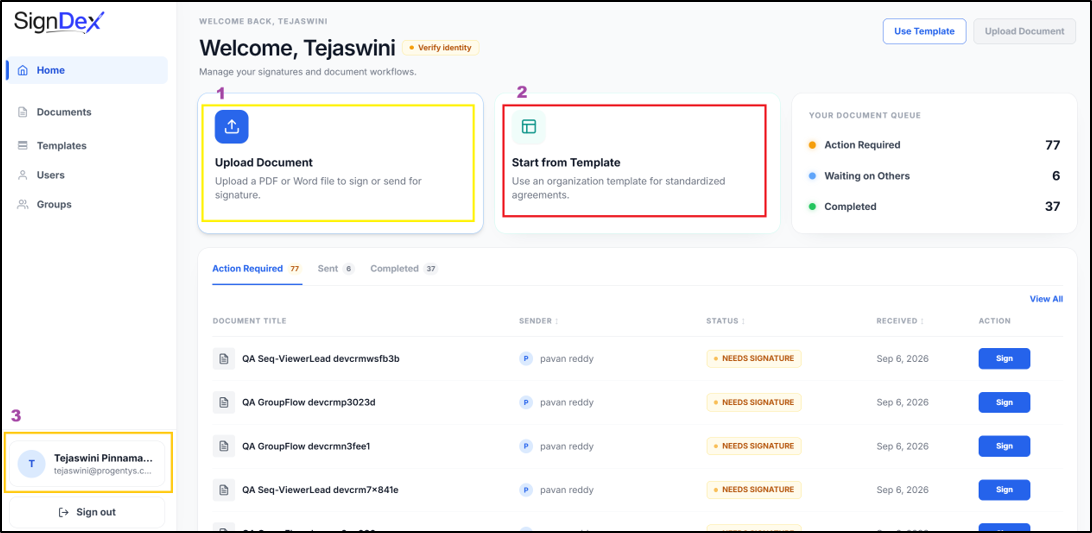
- Select Upload Document to begin uploading a document.
- Select Use Template or Start from Template to browse organisation templates.
- Select your name or profile entry to open My Profile.
Check your progress
You should be able to open Home and Documents and identify the next action for an available document. Menus and actions can differ by account role.