
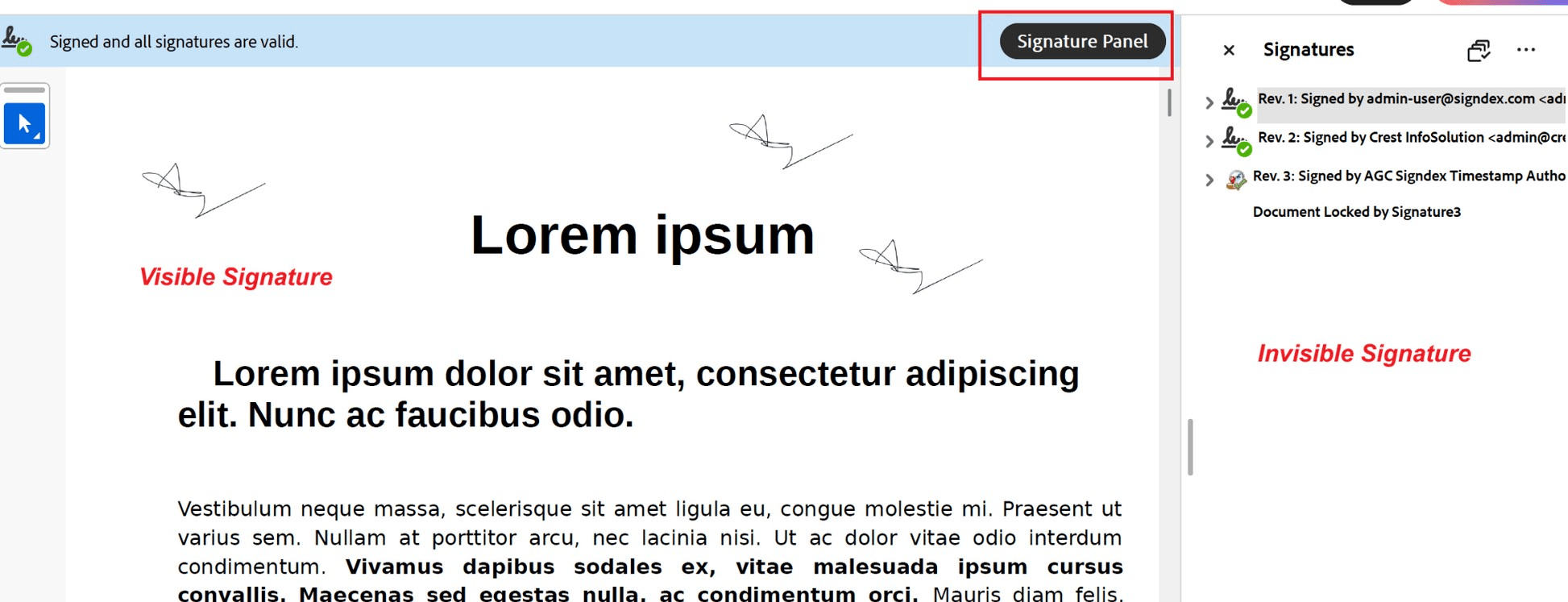
Receiving a digitally signed PDF is only the first step. Before relying on the document, businesses should verify that the signature is valid, the signer can be trusted, and the document has not been changed after signing.
This is especially important for contracts, financial documents, legal agreements, HR records, compliance documents, and other business-critical files. A signed PDF should not only show a signature image on the page. It should also contain verifiable digital evidence behind the signature.
Why Verification Matters
A visible signature on a PDF may look official, but the visual appearance alone does not prove that the document is trustworthy. A signature image can be copied, pasted, or placed on a document without proper digital protection.
| Verification Item | What to Confirm |
| Signature status | The signature is valid |
| Document integrity | The document has not been changed after signing |
| Signer identity | The signer matches the expected person or organization |
| Certificate trust | The certificate is trusted by the PDF reader, or the user has followed the organization’s guidance to trust the relevant certificate |
| Certificate details | The certificate issuer, subject, and validity period are reviewed |
| Timestamp | A trusted timestamp is available, where required |
| Warning messages | Any validation warning is reviewed before accepting the document |
This checklist helps teams perform a consistent review before relying on signed PDF documents.
Advanced Note: Long-Term Verification
For documents that need to remain verifiable for many years, businesses should also consider long-term validation support.
Some digitally signed PDFs may include additional validation evidence, such as certificate chains, revocation information, and trusted timestamps. This helps support future verification, even after certificates expire or some external validation services are no longer available.
In PDF-based digital signing, standards such as PAdES provide different baseline levels for signature validation and long-term trust. For business users, the key point is simple: important signed documents should not only be valid today, but should remain verifiable when they are reviewed in the future.
How SignDex Supports Trusted PDF Signing
SignDex helps organizations create secure and verifiable digital signing workflows for business documents.
With SignDex, businesses can support digital signing processes that focus on document integrity, signer accountability, workflow visibility, and verification evidence. This helps organizations move beyond simple signature images and create signed PDF documents that are easier to review, verify, and audit when needed.
For teams handling contracts, approvals, financial records, or compliance-related documents, this provides greater confidence that signed documents can be trusted beyond the moment of signing.
Conclusion
Verifying a digitally signed PDF is an important step in building trust around digital documents. It helps confirm that the signature is valid, the signer can be identified, and the document has not been changed after signing.
For businesses, a signed PDF should not be accepted based only on what appears visually on the page. The real trust comes from the digital evidence behind the signature.
By checking the Signature Panel, document integrity, signer certificate, and timestamp details, organizations can make better decisions before relying on signed PDF documents.
To learn how SignDex supports secure and trusted digital signing workflows, contact us at support@signdex.io or visit https://signdex.io/ to request a demo.