
Register using your corporate email address and organisation details, then use the verification email to verify your account and set your password.
Before you begin
- Have access to your corporate email inbox.
- Have your organisation name, country, and website address ready.
- Use an organisation website that matches your work email domain. For example, alex@example.com matches example.com.
Complete the registration form
- Open the SignDex registration page.
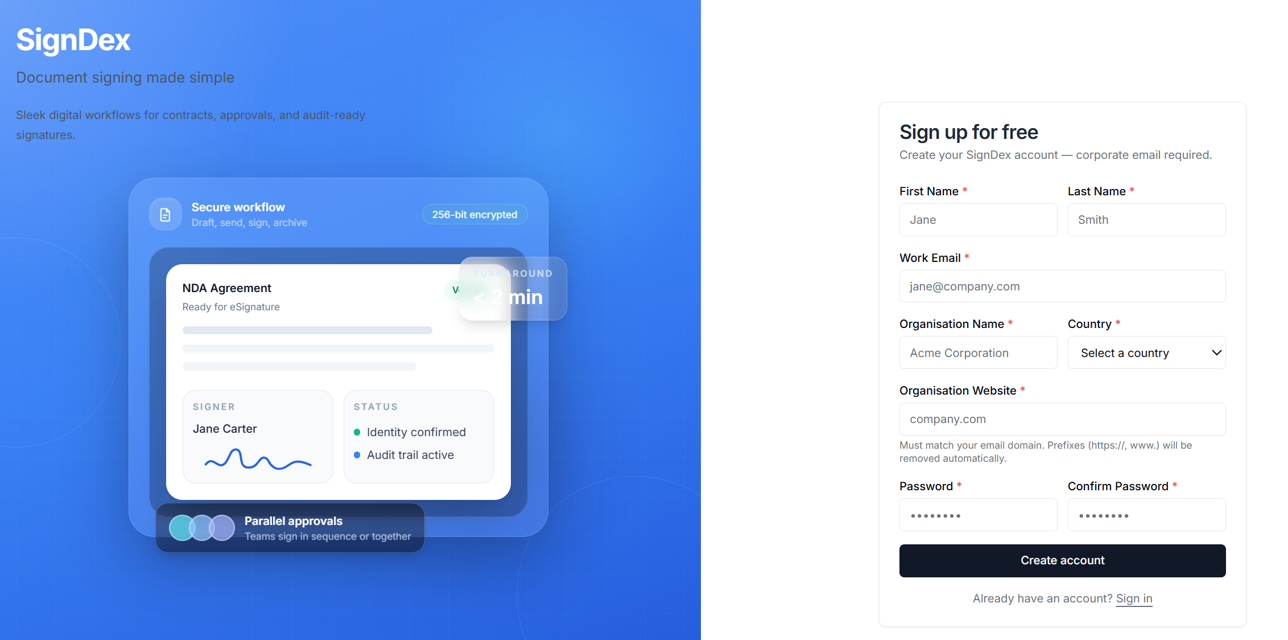
- Enter your First Name and Last Name.
- Enter your Work Email. The form requires a corporate email address.
- Enter your Organisation Name.
- Select your Country.
- Enter your Organisation Website.
- Review your information and select Create account.
- Check the message displayed after submission.
- If registration succeeds, SignDex sends a verification email to your work email address.
- If your company is already registered, follow the request-to-join option described below.
Verify your account and set your password
- Open the inbox for the work email address you entered during registration.
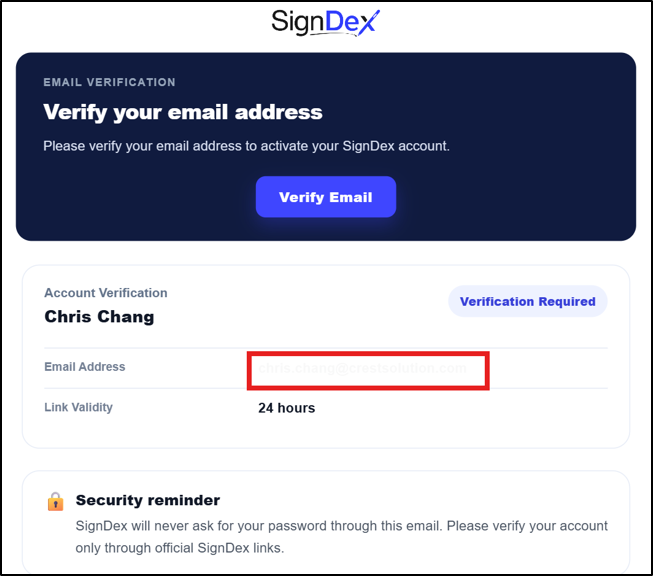
- Find the verification email from SignDex.
- Open the verification link within 24 hours. The link is valid for 24 hours.
- Follow the verification page instructions to set your account password.
- Complete the process, then sign in using your registered email address and the password you just set.
If your company is already registered
SignDex displays a warning when it identifies an existing company account. Use the option to request to join that account and follow the on-screen instructions.
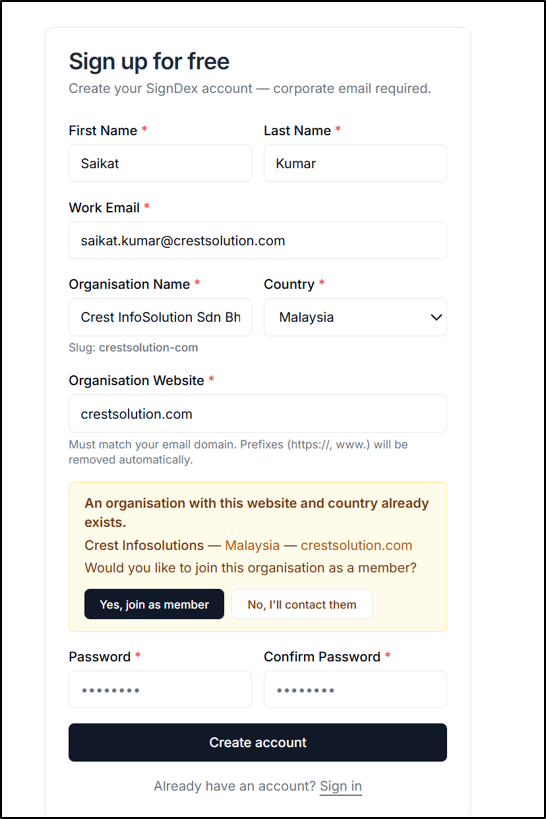
Submitting a join request does not by itself confirm that you have access. Follow the status or next-step instructions shown for your request.
Check your progress
For a new registration, you should receive the verification email and complete password setup through its link. You can then proceed to sign in. For an existing company account, follow the separate request-to-join process.
If you cannot register
Issue What to do The registration form shows an error Check all required fields and confirm that the organisation website matches your work email domain. The verification email has not arrived Check your spam or junk folder and confirm that you used the intended work email address. The verification link has expired The link is valid for 24 hours. Follow any on-screen instructions for obtaining a new link, or contact SignDex support. Your company is already registered Use the request-to-join option in the warning message. If the issue continues, contact SignDex support through the Help Center and provide the error text. Do not include your password or verification link.